

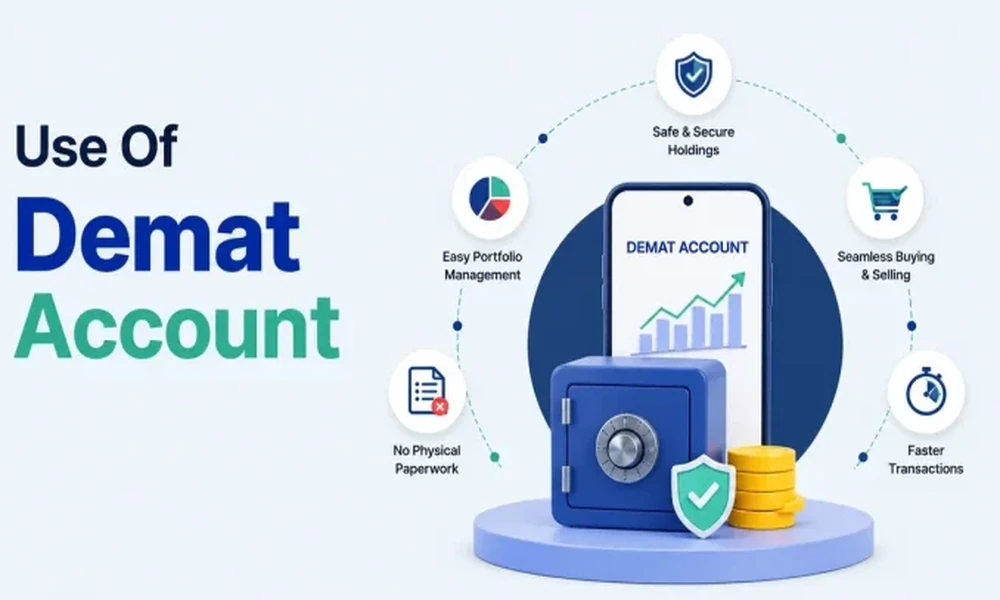
A Demat Trading Account allows investors to hold securities electronically and place market transactions through a connected platform. It can support the purchase and sale of listed shares, exchange-traded funds, bonds, and other eligible products.
Opening an account may appear simple because most verification steps can be completed digitally. However, users should understand the account structure, charges, security controls, settlement process, order types, and reporting system before beginning.
A careful setup process can reduce account errors, unnecessary fees, and confusion during transactions. The following roadmap explains the main checks users should complete before and after activation.
Know How Trading and Demat Functions Differ
A market account generally combines two connected functions.
The trading component is used to place buy and sell orders. The dematerialised component stores eligible securities in electronic form after settlement.
These functions may be provided through the same application, but they serve different purposes.
Users should understand:
- Where funds are held
- Where securities are recorded
- How orders are placed
- How transactions are settled
- Which entity provides each service
This distinction helps users understand why a completed trade may not immediately appear as a settled holding.
Verify the Account Provider Before Registration
Before submitting personal documents, users should confirm that the provider is properly registered and easy to verify.
Important checks include:
- Legal business name
- Exchange membership
- Depository association
- Registered office
- Official website
- Customer-support details
- Complaint escalation process
The application-store name should match the legal entity shown in official documents.
Users should avoid registration links received through unknown messages, unofficial representatives, or unverified websites.
Prepare and Review the Required Account Documents
The digital onboarding process may require:
- Identity proof
- Address proof
- Tax identification
- Bank details
- Signature
- Photograph
- Video verification
- Nominee information
Users should enter information carefully because mismatched details can delay activation or create problems during withdrawals and account updates.
Every document should be uploaded only through the official platform.
Users should also save the account-opening confirmation and client agreement for future reference.
Activate Only the Market Segments You Need
Some providers allow users to activate several market segments during onboarding.
These may include:
- Equity delivery
- Intraday activity
- Derivatives
- Commodities
- Currency products
Activating every segment is not always necessary.
A long-term investor may require only basic equity access, while someone using derivatives may need additional financial information and risk disclosures.
Users should activate a segment only after understanding its charges, settlement rules, leverage, and loss potential.
Review the Full Account Cost Structure
Account-opening promotions may not show every ongoing expense.
Possible charges include:
- Account-opening fee
- Annual maintenance fee
- Brokerage
- Depository charges
- Exchange transaction fees
- Taxes
- Stamp duty
- Pledge charges
- Call-assisted order fees
- Account closure or transfer costs
Users should obtain the official tariff sheet and estimate the likely annual cost.
A low headline brokerage rate may be less important for long-term investors than annual account and depository expenses.
Connect and Verify Your Bank Account Details
The linked bank account is used for fund transfers and withdrawals.
Users should check:
- Account-holder name
- Account number
- Bank code
- Supported transfer methods
- Withdrawal timing
- Failed-transfer procedures
The bank details should match the account records wherever required.
Money should be transferred only through the authorised payment options shown inside the platform.
Unexpected payment requests sent through personal messages should be verified with official support.
Add and Maintain Accurate Nominee Information
Nomination can support the transfer of account assets when the account holder is no longer available.
Users should review:
- Nominee name
- Relationship
- Contact information
- Share of entitlement
- Guardian details where applicable
- Update procedure
Nominee records should remain current.
Family members may be informed that the account exists, while passwords, login codes, and transaction credentials should remain confidential.
Secure the Account With Essential Safety Controls
A financial account contains personal data, banking links, and securities.
Users should enable:
- Two-factor authentication
- Biometric login
- Device verification
- Login alerts
- Transaction notifications
- Session timeout
- Secure password recovery
Passwords should be unique and difficult to guess.
One-time codes, personal identification numbers, and remote-access permissions should never be shared with unknown individuals.
The account should not be accessed through public or shared devices where possible.
Understand Market, Limit and Stop Orders
Understanding order instructions can reduce execution mistakes.
Market Order
A market order attempts to complete the transaction at the best available price. The final rate may differ during volatile conditions.
Limit Order
A limit order allows the user to define an acceptable buying or selling price. It may remain pending if the market does not reach that level.
Stop Order
A stop order becomes active after a selected trigger is reached. It can support risk control, but exact execution is not guaranteed.
Before confirmation, users should review the security name, exchange, quantity, price, direction, and order type.
Can You Differentiate Orders, Positions and Holdings?
An order may have several statuses.
These can include:
- Submitted
- Pending
- Partially executed
- Fully executed
- Rejected
- Cancelled
A completed purchase may first appear under positions and later move to settled holdings.
Users should not assume that every submitted order has been completed.
The order book, trade book, and holding statement should be checked separately.
Learn How the Trade Settlement Process Works
Settlement is the process through which funds and securities are exchanged after a completed trade.
Users should understand:
- When funds are debited
- When securities appear
- When sale proceeds become withdrawable
- How unsettled holdings are displayed
- What happens after failed settlement
Settlement timing may vary by product and applicable market rules.
Users should avoid selling or transferring securities without checking their current settlement status.
Keep Mutual Fund Investing and Direct Trading Separate
A Mutual Fund Sip App may be used to manage regular scheme contributions, goal progress, and portfolio allocation, while a market account is generally used for exchange-based transactions and electronic security storage.
These activities require different research methods and review schedules.
Keeping them separate can make performance, charges, and risk easier to understand.
Long-term fund contributions should not be interrupted only because short-term market activity becomes more attractive.
Will the Platform Perform During Busy Market Sessions?
A suitable platform should remain responsive during normal and high-volume sessions.
Users should evaluate:
- Login speed
- Price-update frequency
- Order-screen stability
- Position accuracy
- Browser availability
- Outage communication
- Alternative support channels
No application can guarantee uninterrupted service.
The provider should explain how users can seek assistance when the primary platform is unavailable.
Testing the account with a limited transaction can help identify practical issues.
Evaluate the Quality of Portfolio Reporting
The portfolio dashboard should provide clear information about:
- Total invested amount
- Current value
- Average purchase cost
- Realised result
- Unrealised result
- Company concentration
- Sector allocation
- Transaction history
Users should confirm whether displayed returns include charges.
Settled holdings should be clearly separated from open or intraday positions.
Accurate reporting is important for both investment review and tax preparation.
Save Official Account and Transaction Records
Users should retain more than dashboard screenshots.
Important records may include:
- Contract notes
- Ledger statements
- Holding statements
- Profit and loss reports
- Tax summaries
- Charge details
- Account-opening documents
These records may be needed for tax filing, account disputes, audits, and future transfers.
Statements should be downloaded periodically and stored securely.
Assess Margin and Leverage Before Using Them
Margin facilities allow users to take exposure larger than the cash available.
This can increase gains, but losses may also rise quickly.
Before using leverage, users should understand:
- Margin requirement
- Funding cost
- Additional margin calls
- Forced position closure
- Market-gap risk
- Maximum possible loss
Beginners should avoid using leverage until they understand how the product behaves during rapid price movement.
Track Dividends, Splits and Other Corporate Actions
Investors may receive benefits or account adjustments from corporate actions.
These can include:
- Dividends
- Bonus shares
- Rights issues
- Stock splits
- Mergers
- Buybacks
The account should display these events accurately.
Users should verify important corporate-action details through official company and exchange announcements.
Bank and contact information should remain updated to avoid payment or communication issues.
Complete a Final Check Before Placing an Order
Before placing an order, users can complete a brief checklist.
It may include:
- Is the correct security selected?
- Is the exchange correct?
- Is the quantity accurate?
- Is the price reasonable?
- Is the order type suitable?
- Are sufficient funds available?
- Is the position size acceptable?
A few seconds of review can prevent avoidable input errors.
The confirmation screen should never be skipped simply because the market is moving quickly.
Conduct an Annual Demat Account Review
An annual review can help identify unnecessary services and costs.
Users should check:
- Total charges paid
- Number of transactions
- Active market segments
- Unused subscriptions
- Nominee records
- Security settings
- Tax statements
If the account is rarely used, users can assess whether maintaining it remains practical.
Inactive or duplicate accounts may create extra administrative work.
Review Market Conditions Before Trading
Before placing orders in the Trading Market, users should review liquidity, volatility, company disclosures, sector conditions, transaction costs, and their own financial objective.
Access to live prices should not create pressure to act frequently.
The account should support a defined investment process rather than encourage decisions based only on rapid price movement.
Conclusion
A Demat Trading Account should be set up only after reviewing the provider, charges, account segments, security controls, order process, settlement, and statement access.
Users should keep bank and nominee details updated, understand the difference between orders and settled holdings, and download official records regularly. High-risk features such as leverage and derivatives should be activated only after their risks are understood.
A careful setup can make market participation more organised, secure, and easier to monitor over time.
Frequently Asked Questions
1. Is a trading account different from a dematerialised account?
Yes. The trading component is used to place orders, while the dematerialised component stores eligible securities electronically.
2. Why can a purchased security take time to appear in holdings?
The trade must pass through the applicable settlement process before it becomes a fully settled holding.
3. Is it necessary to activate every market segment?
No. Users should activate only the segments they understand and intend to use.
4. Which account records should be saved?
Users should retain contract notes, ledgers, holding statements, tax reports, and account-opening documents.
5. Can an account be used without understanding order types?
Orders can be placed, but doing so without understanding execution instructions can increase the risk of price and quantity errors.
